
Amazon Rufus is now Alexa for Shopping. On May 13, 2026, Amazon retired the Rufus name and merged its AI shopping chatbot with Alexa+ into a single assistant that works across the Amazon app, the website, and Echo Show devices. If you sell on Amazon, this matters more than the rename suggests: the assistant reads your listing, decides whether to recommend you, and now also tracks prices, sets alerts, and can even buy for the shopper. So what is Amazon Rufus today? This guide explains what it was, what Alexa for Shopping does now, and how to optimize your listings for it.
Quick Answer
Amazon Rufus was Amazon’s AI shopping assistant. In May 2026 Amazon merged it with Alexa+ and renamed it Alexa for Shopping (Digital Commerce 360). It answers shoppers’ questions in plain language, compares products, shows up to a year of price history, sets price and deal alerts, and can auto-buy at a target price. For sellers, it narrows a full page of results down to a few recommended products, so a listing that clearly answers shopper questions has a better chance of being one of them.
Key Takeaways
- Rufus and Alexa for Shopping are the same assistant. The name changed on May 13, 2026, when Amazon merged Rufus with Alexa+.
- It now works in the Amazon app, on Amazon.com, and on Echo Show devices, with shared memory across them.
- New shopper tools include one-year price history, price alerts, deal alerts, and Auto-Buy at a target price, which makes pricing consistency more important.
- It often recommends a handful of products instead of a full results page. Clear, factual, complete listings are what earn those spots.
- Paid visibility inside the assistant is growing: Sponsored Prompts today, and Branded Conversations arriving in January 2027.
Table of Contents
- What Is Amazon Rufus?
- What Changed: Rufus Became Alexa for Shopping
- What Alexa for Shopping Can Do Now
- How It Picks Products to Recommend
- Paid Visibility Inside Alexa for Shopping
- How to Optimize Your Listings for It
- Frequently Asked Questions
What Is Amazon Rufus?
Rufus was Amazon’s generative AI shopping assistant, launched in 2024 inside the Amazon app and website. Instead of typing keywords and scrolling results, shoppers could ask questions like “what is a good beginner pickleball paddle?” or “is this jacket machine washable?” and get a conversational answer drawn from listing content, reviews, and other information. It grew quickly: reports citing Amazon put its 2025 reach at more than 250 million customers.
Many sellers still say “Rufus,” and you will see the name in seller tools and older guides. Today, though, the assistant shoppers use is Alexa for Shopping.
What Changed: Rufus Became Alexa for Shopping
On May 13, 2026, Amazon retired the Rufus brand and combined it with Alexa+, its voice assistant, into one shopping assistant called Alexa for Shopping (coverage of the launch). Before the merge, Rufus and Alexa+ were separate and did not share context. Now one assistant carries the same memory of a shopper’s preferences and past purchases across devices.
| Rufus (before May 2026) | Alexa for Shopping (now) | |
|---|---|---|
| Where it works | Amazon app and website | Amazon app, Amazon.com, Echo Show devices |
| Memory | Separate from Alexa | Shared across app, web, and Alexa devices |
| Price history | Shorter windows | Up to one year |
| Actions | Answers and recommendations | Alerts, scheduled actions, and Auto-Buy as well |
| Who can use it | US shoppers | US shoppers, no Prime or Echo device required |
What Alexa for Shopping Can Do Now
Amazon highlighted several of these tools ahead of Prime Big Deal Days in October 2026 (About Amazon):
- Answer questions in the search bar. Shoppers can type a full question into Amazon search and get an AI answer instead of a keyword results page.
- Compare products. Side-by-side comparisons of features, prices, and reviews from search results.
- One year of price history. Shoppers can ask “was this cheaper last Black Friday?” and see the answer.
- Price alerts and deal alerts. Notifications when a product hits a target price, or when new deals appear in a category.
- Auto-Buy at a target price. The assistant can complete the purchase when your price drops to the shopper’s number.
- Personalized deal recommendations. Based on the shopper’s lists, browsing, and purchase history.
The price tools change seller strategy more than anything else here. A shopper who sees that your “deal” price matches what you charged in March will not be impressed. Our post on Amazon price history and Auto-Buy covers how to price with this in mind.
How It Picks Products to Recommend
Traditional Amazon search matches keywords in the query to keywords in your listing, then ranks by performance. The assistant works differently. It interprets what the shopper actually means, then evaluates listings on how well they answer that intent. It reads your title, bullets, description, A+ content, reviews, and Q&A and judges relevance, completeness, and trustworthiness. It also uses what it knows about the shopper, such as past purchases and saved preferences.
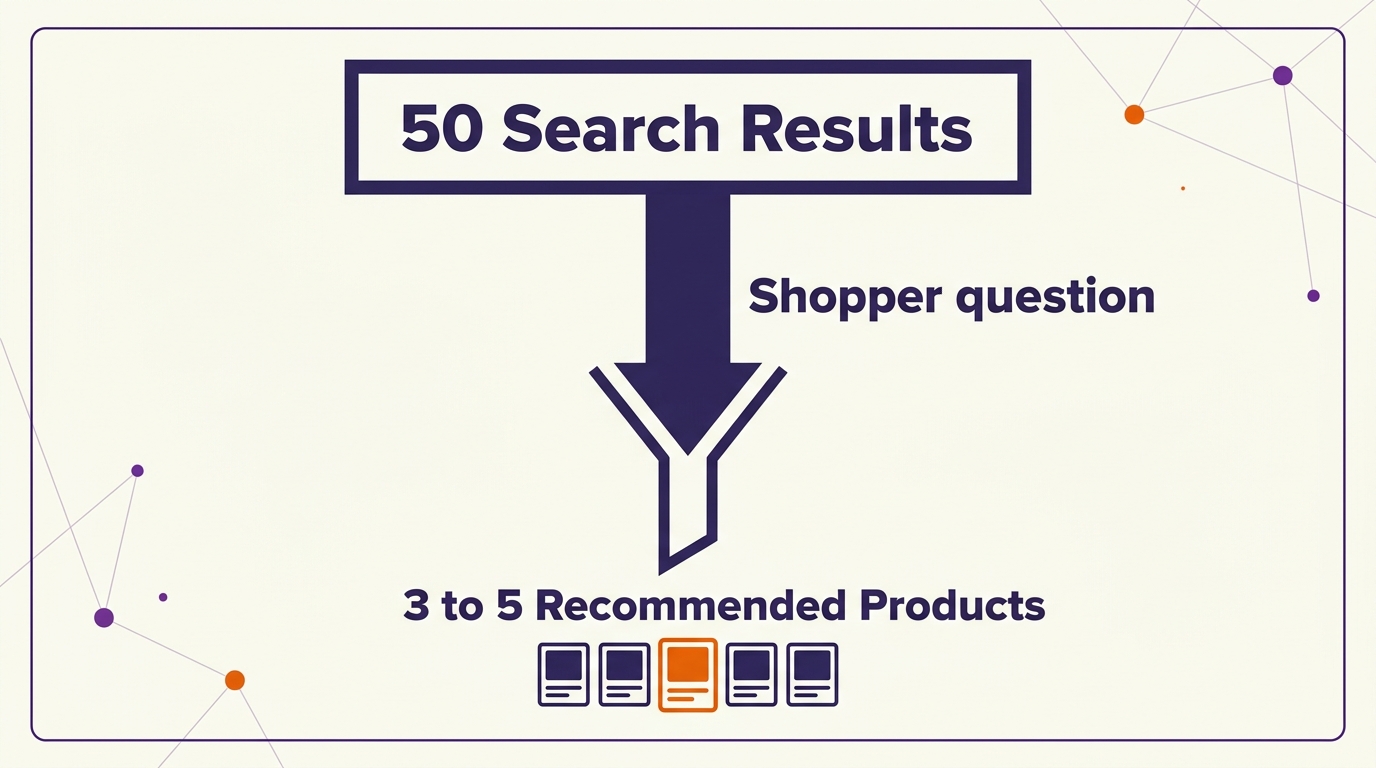
Most importantly, it narrows the field. Instead of 50 results, the shopper often sees a few named products. If your listing is not one of them for a relevant question, that shopper may never see you.
Paid Visibility Inside Alexa for Shopping
Amazon is building ad formats into the assistant. Sponsored Prompts already place brand suggestions inside AI answers. At unBoxed 2026, Amazon announced Branded Conversations, which let brands feed product guidance into Alexa for Shopping so it can act as a product specialist. Amazon says they will be clearly marked as Sponsored and launch in the US in January 2027 (Amazon Ads announcement). Our unBoxed 2026 recap covers the rest of what was announced.
Paid placements help, but they do not replace a strong listing. An ad that leads to a listing that does not answer the shopper’s question still loses the sale.
How to Optimize Your Listings for It
Optimizing for Alexa for Shopping is mostly good listing practice done on purpose:
- Answer real questions plainly. Say who the product is for, what problem it solves, and how it compares, in your bullets and description.
- Be specific. Exact materials, dimensions, compatibility, and use cases beat vague claims like “perfect for everyone.”
- Keep everything consistent. If your title says 32 oz and your A+ says 30 oz, the assistant has a reason to doubt you.
- Use your reviews. Read the questions buyers ask in reviews and Q&A, then answer them in the listing itself.
- Keep prices honest. With a year of price history one question away, inflated reference prices and fake discounts are easy to spot.
- Build review volume. Ratings and reviews feed the trust signal. New tools like Review Requests can help newer products.
For the full method, see our guides on AI Amazon listing optimization and listing optimization strategy.
Related Reading
Frequently Asked Questions
What is Amazon Rufus?
Rufus was Amazon’s AI shopping assistant. In May 2026 Amazon merged it with Alexa+ and renamed it Alexa for Shopping. It answers shoppers’ questions, compares products, and recommends listings based on how well they answer the shopper’s intent.
Is Rufus the same as Alexa for Shopping?
Yes. Alexa for Shopping is the new name for Rufus, combined with Alexa+. It added shared memory across devices, Echo Show shopping, longer price history, alerts, and Auto-Buy. The way it reads and recommends listings follows the same principles.
How does Alexa for Shopping decide what to recommend?
It interprets the shopper’s question, then evaluates listings on relevance, completeness, and trustworthiness using your title, bullets, description, A+ content, reviews, and Q&A, plus what it knows about the shopper. It often surfaces just a few products.
Does Alexa for Shopping replace Amazon search?
No. It runs alongside traditional keyword search. You need keyword and conversion optimization for search, plus clear, question-answering content for the assistant.
How do I optimize my listing for Alexa for Shopping?
Answer real shopper questions plainly, be specific and factual, keep details consistent across the listing, keep pricing honest, and build reviews. It is careful listing work, not keyword stuffing.
Written by the AMZ Scaler Team
Amazon advertising and listing specialists with 5+ years managing PPC and listing optimization for brands across the US, UK, and Canada. We publish what we apply in real seller accounts every day.