If you fulfill your own Amazon orders, a change that took effect June 29, 2026 affects how your delivery promises are set, and it can quietly tighten them without you touching a thing. Amazon now requires seller-fulfilled handling times to reflect your real shipping speed, and it can adjust them for you. Here is what changed and what to do so an automated setting does not put your account health at risk.
Quick Answer
As of June 29, 2026, every seller-fulfilled (FBM) SKU that uses handling time must have an accurate setting. You can either enable Automated Handling Time, where Amazon adjusts it based on your recent shipping history and gives you Late Shipment Rate protection, or keep setting it manually. If you set it manually and consistently ship at least a day faster than your setting, Amazon will flag the SKU. Custom, handmade, and heavy or bulky freight items are excluded.
What Changed
Amazon’s stated reasoning is conversion. Per its notice, cutting the promised delivery time by a single day correlates with an average sales lift of around 5%, and more than 87% of US seller-fulfilled orders already ship within one day. In Amazon’s view, inflated handling times are now a risk rather than a safe buffer, because they push out your delivery promise and cost you sales.
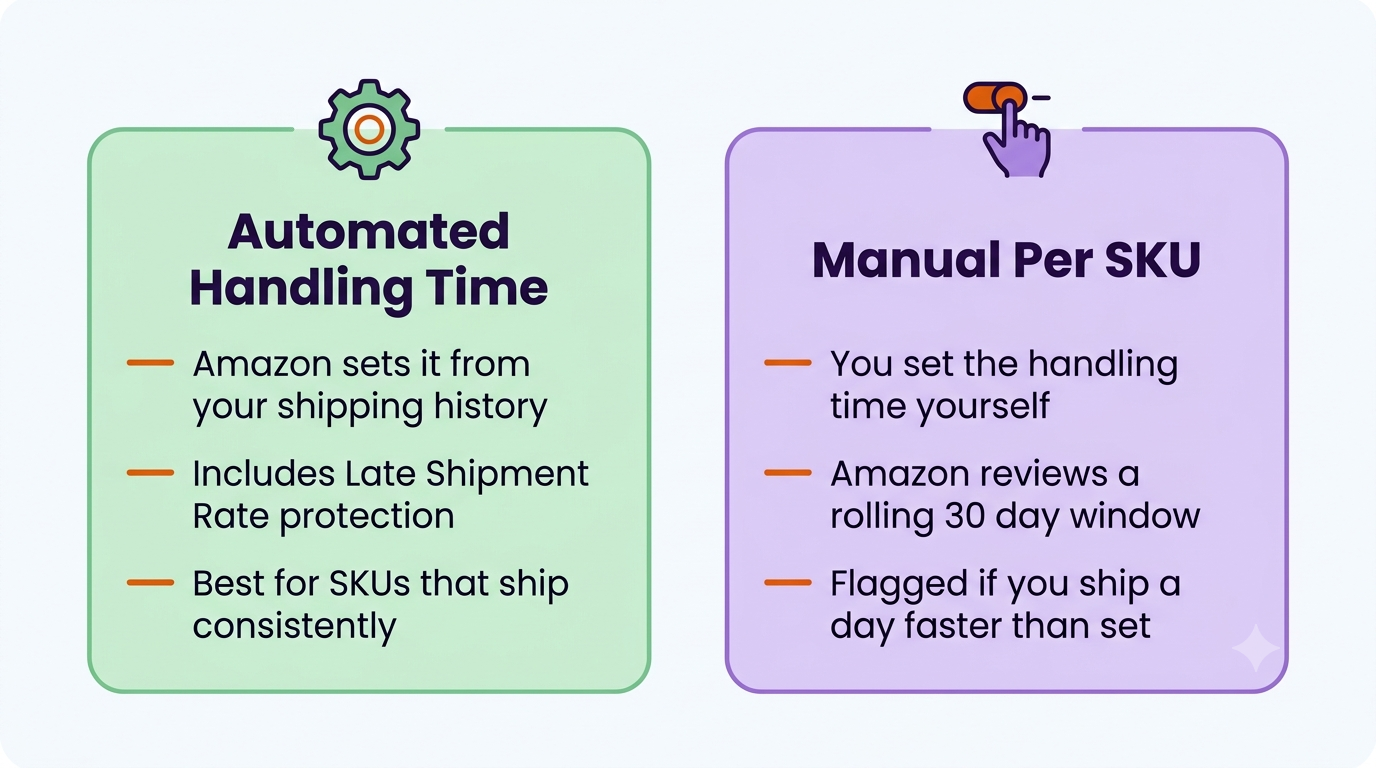
You have two ways to comply. The first is Automated Handling Time, where Amazon’s system sets and adjusts your SKU-level handling time from your recent confirmed shipping history, and includes Late Shipment Rate protection. Amazon recommends this because it reduces manual work. The second is to keep setting handling time manually per SKU, but Amazon now monitors a rolling 30-day window, and if a SKU consistently ships at least a day earlier than your setting, it gets flagged.
Two ways to comply. Automated suits consistent SKUs and adds Late Shipment Rate protection. Manual keeps control where your shipping speed varies.
What It Means for Sellers
The upside Amazon advertises is faster delivery promises and more sales. The risk it does not advertise is the one to watch: if an automated handling time gets set against a recent history that does not reflect your normal operations, your promised delivery dates can become tighter than you can reliably hit. That means higher Late Shipment Rate, more A-to-z claims, and account health exposure, especially during peak season or a supplier delay.
Many sellers historically padded handling time to absorb weekends, staffing gaps, and supplier issues. That buffer is exactly what this change targets. The goal now is accuracy, a handling time that is honest about how fast you actually ship, not a cushion and not an over-tight promise you cannot keep. Delivery timing now also matters for Amazon Business orders under the Business Hour Delivery Rate requirement.
What to Do Now
Audit your handling times per SKU. Compare the handling time set in Seller Central against how fast you actually ship each SKU. Look for gaps in both directions, too padded and too tight.
Choose your path deliberately. Automated Handling Time reduces manual work and adds Late Shipment Rate protection, which suits SKUs with consistent shipping. Manual gives you control where your speed varies and you need to protect the promise.
Watch your Late Shipment Rate closely after go-live. For the first 30 days, check it often. Any drift upward is an early signal that an automated handling time was set too tight on a segment.
Account for reality. Weekends, carrier cutoffs, and supplier lead times all belong in an accurate handling time. Accurate does not mean fastest possible, it means what you can consistently deliver.
Remember the exclusions. Custom, handmade, and heavy or bulky less-than-truckload SKUs are not covered by the requirement.
IMPORTANT: This does not stand alone. Amazon has been tightening seller-fulfilled rules across the board, including raising Seller Fulfilled Prime delivery speed requirements from July 6, 2026. If you run SFP, review your Prime delivery-speed data alongside your handling times, since the two together determine whether you keep the badge and protect account health.
When did the Amazon FBM handling time change take effect?
June 29, 2026. From that date, seller-fulfilled SKUs that use handling time must have an accurate setting, either through Automated Handling Time or by setting it manually per SKU.
What is Automated Handling Time?
It is Amazon’s option to set and adjust your SKU-level handling time automatically based on your recent confirmed shipping history. It also includes Late Shipment Rate protection, which is why Amazon recommends it for SKUs that ship consistently.
What happens if I keep setting handling time manually?
You can, but Amazon monitors a rolling 30-day window. If a SKU consistently ships at least one day earlier than your manual setting, Amazon will flag it. The aim is for your setting to match your actual shipping speed.
Are any products exempt?
Yes. Custom, handmade, and heavy or bulky less-than-truckload freight SKUs are excluded from the requirement.
Written by the AMZ Scaler Team
Amazon advertising and listing specialists with 5+ years managing PPC and listing optimization for brands across the US, UK, and Canada. We publish what we apply in real seller accounts every day.