
Quick Answer
Amazon can suppress a listing’s Featured Offer (the Buy Now box) when its pricing system judges the offer uncompetitive against a benchmark price. The trap: that benchmark can be built from the wrong comparison, most commonly a different pack size of the same product, so a correctly priced 3-pack gets judged against a 1-pack price. Lowering your price “fixes” the symptom by destroying your margin. The durable fix is correcting the comparison: accurate pack-size data, clean variation relationships, and a pricing-error case with evidence.
How a Featured Offer Gets Suppressed
The Featured Offer is the buy box on your detail page. Amazon awards it, and can withhold it, based on factors including price competitiveness. Its pricing engine compares your offer against reference points such as other sellers on the same ASIN, comparable products, and prices seen elsewhere. When your offer looks uncompetitive against that benchmark, Amazon can remove the Featured Offer, leaving shoppers a “See All Buying Options” link instead of Buy Now. Conversion usually drops hard, and your ads keep paying to send traffic to a page that has lost its easiest path to purchase.The Pack-Size Trap
Here is the failure mode that catches accurate prices. Suppose you sell a 3-pack at $36, and a 1-pack of the same product sells for $13. If Amazon’s comparison logic anchors on the smaller pack, your $36 looks nearly triple the “competitive” price, even though per unit you are cheaper. Same product, different pack, wrong ASIN in the comparison, and your correctly priced offer gets flagged as overpriced. The instinctive response, drop the price and wait for the system to recheck, works in the narrow sense that the suppression may lift. But you have just priced a 3-pack against a 1-pack benchmark, which can mean selling at or below cost. And because the underlying comparison is still wrong, the problem tends to come back the next time the benchmark updates.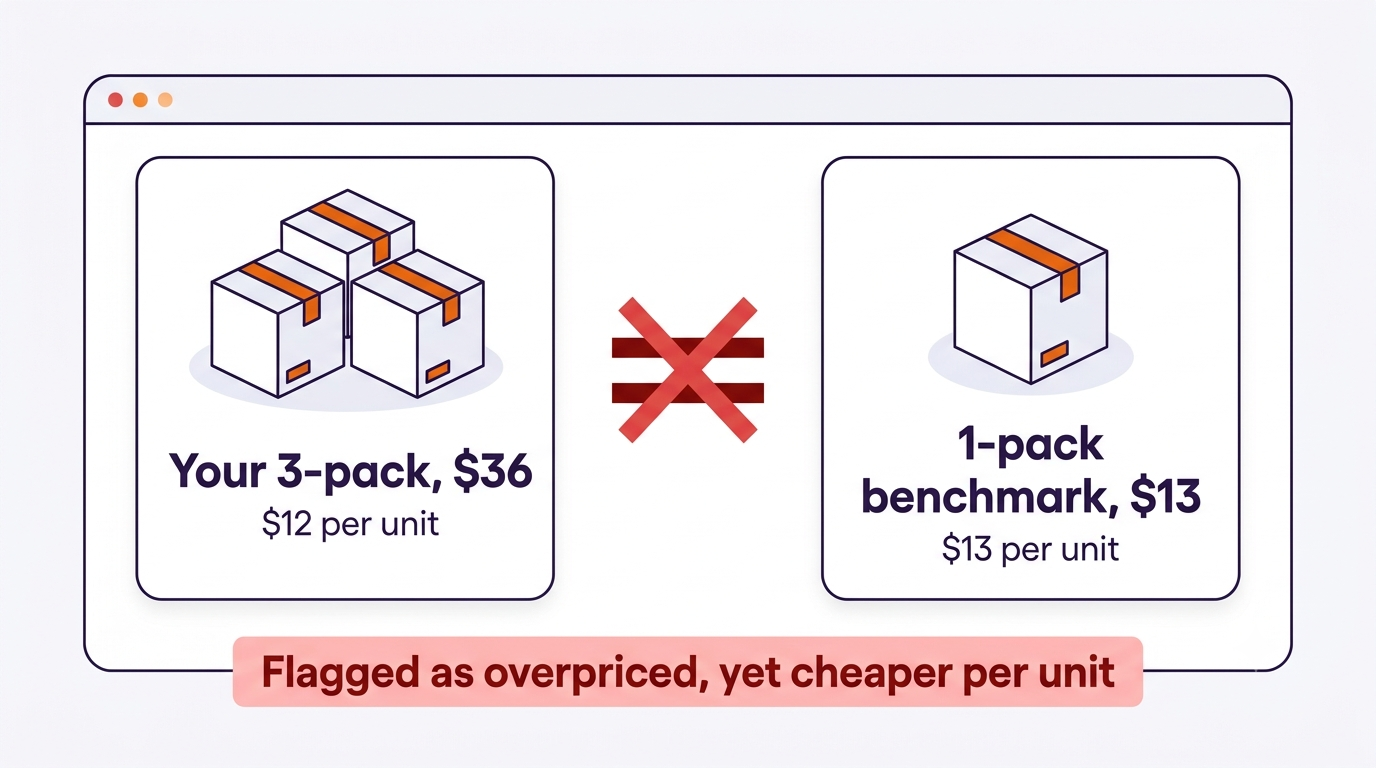
How to Fix the Comparison, Not Just the Price
- Diagnose before you discount. In Pricing Health (Seller Central), find the flagged SKU and look at the competitive price it is being measured against. Ask the specific question: what product is that price actually for? Check pack size first.
- Audit your listing’s pack-size data. Confirm the unit count, item package quantity, and title all state the pack size clearly and consistently. Ambiguous or missing pack data is what lets the system match your multipack against a single unit.
- Check your variation family. If your 1-pack and 3-pack are (or should be) variations, make sure the relationship is set up correctly. Broken or missing variation structure increases the odds of cross-pack comparisons.
- Open a case with evidence. If the benchmark is clearly built on a different pack size, raise a pricing issue through Seller Support with the flagged SKU, the referenced competitive price, and proof of the pack difference. Be precise: “the referenced price is for a 1-pack; this ASIN is a 3-pack” is an arguable case. “My price is fair” is not.
- Decide on per-unit merchandising. Making per-unit value obvious, in the title, images, and A+ Content, helps both shoppers and systems read your multipack correctly.
Frequently Asked Questions
What does it mean when the Featured Offer is suppressed?
Amazon has removed the Buy Now box from the detail page, usually replacing it with a See All Buying Options link, because the offer was judged uncompetitive against a benchmark price. The listing stays live, but conversion typically drops sharply until the Featured Offer returns.Why was my correctly priced product flagged as overpriced?
A common cause is a mismatched comparison: Amazon’s pricing system benchmarked your offer against a different version of the product, most often a smaller pack size, so your multipack price looked inflated against a single-unit price.Should I just lower my price to restore the Featured Offer?
Only if your price genuinely is uncompetitive. If the benchmark is wrong, lowering your price trades your margin for a temporary fix. Correct the pack-size data and variation structure, and raise a case with evidence, so the comparison itself gets fixed.Does losing the Featured Offer affect my PPC?
Yes. Ads keep charging you for clicks, but shoppers land on a page without a Buy Now button, so conversion and ROAS fall. If conversion collapses suddenly, check Featured Offer status before adjusting campaigns.Written by the AMZ Scaler Team
Amazon advertising and listing specialists with 5+ years managing PPC and listing optimization for brands across the US, UK, and Canada. We publish what we apply in real seller accounts every day.