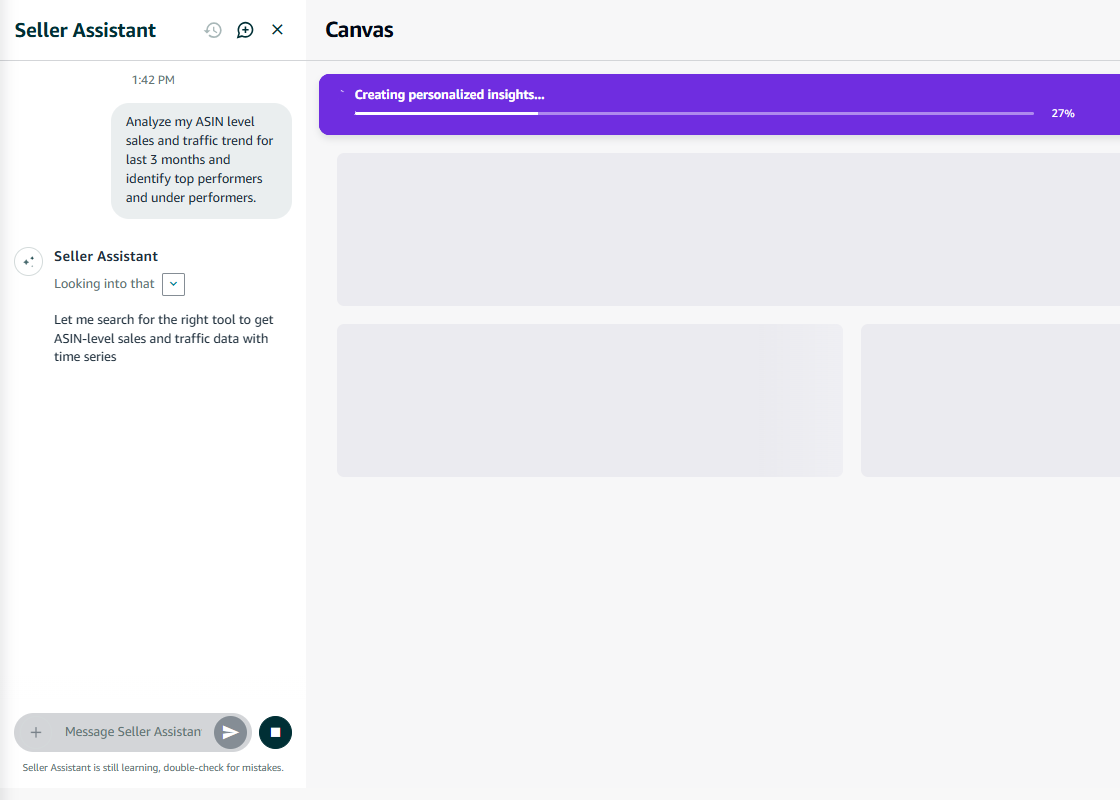
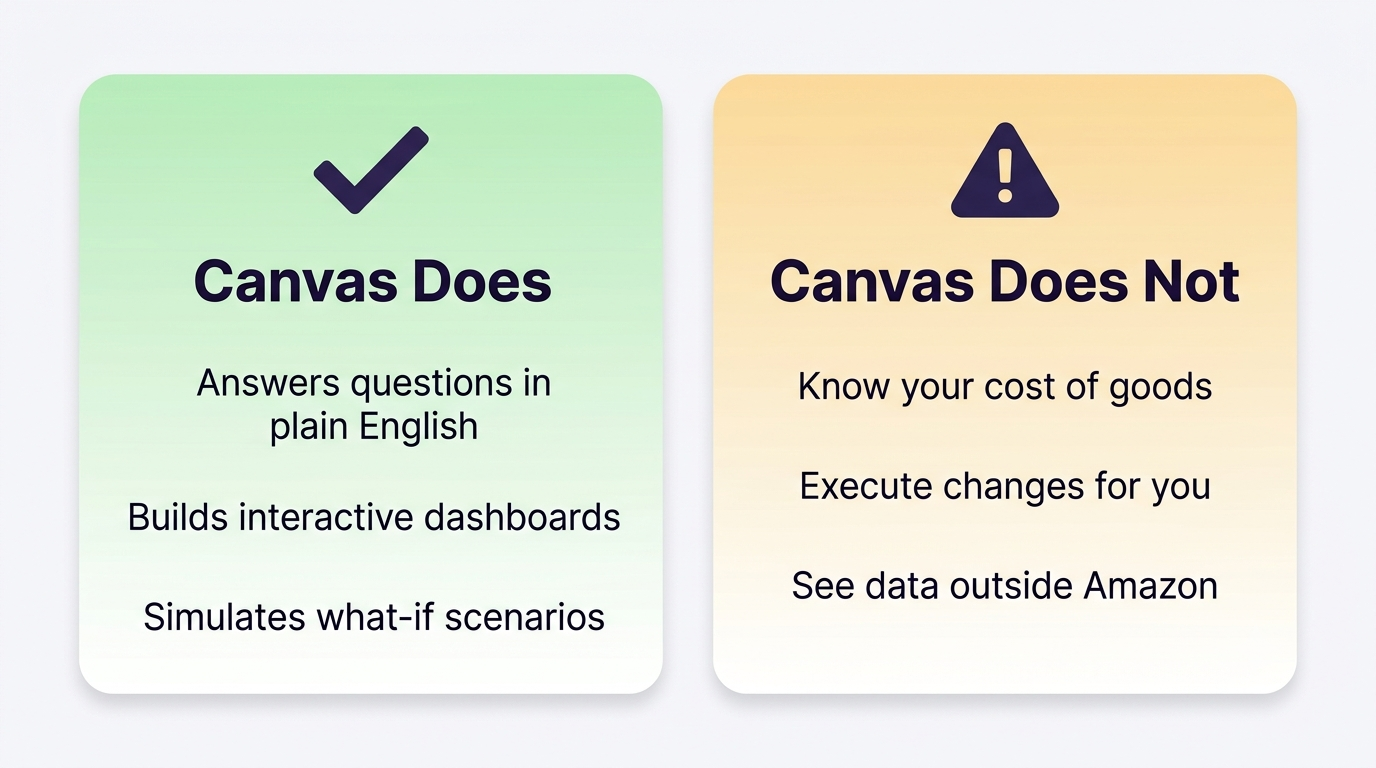
Amazon has put an AI analyst inside Seller Central, and many sellers still have not opened it. Canvas, launched March 3, 2026 for US and UK sellers at no extra cost, lets you ask questions about your business in plain English, “how are my products performing,” “what did that campaign actually do to sales,” and get interactive charts, trends, and recommended actions back in seconds. Here is what Amazon Canvas does, what it does not do, and how to get real value from it without trusting it blindly.
Quick Answer
Amazon Canvas is a free, AI-powered visual workspace in Seller Central, available to US and UK sellers since March 3, 2026. You ask Seller Assistant questions in natural language, and it builds a personalized canvas of charts, insights, and recommended actions from your sales, advertising, and inventory data, with follow-up questions updating the view instantly. It is built on the same agentic architecture as Seller Assistant, and the AI recommends while you decide: it does not execute changes for you.
What Canvas Actually Does
Seller data has always lived in fragments: Business Reports for sales, the Advertising Console for campaigns, Inventory Planning for stock, Brand Analytics for market signals. Canvas puts a conversational layer on top. Ask a question or pick a suggested prompt, and Seller Assistant assembles a dashboard tailored to it, sales trends, campaign impact, inventory scenarios. Ask a follow-up and the canvas adapts, building new visualizations instead of sending you to another report.
It goes beyond answering. Canvas surfaces things proactively, if a product’s sales spike, it can flag it and suggest increasing inventory, and it can simulate scenarios: comparing restocking now versus delaying, or projecting what shifting ad spend toward excess inventory might do. To open it, switch to the new Seller Central experience and select Access canvases in the left panel.
Canvas assembles a dashboard from a plain-English question. The Access canvases entry sits at the bottom of the left panel in the new Seller Central experience.
The Limitations to Know Before You Trust It
Canvas is genuinely useful, and it has real boundaries that early coverage has documented:
Data freshness: dashboards reflect data that can be a day or two old, similar to standard reports. It is not a live ticker.
No cost of goods: you cannot feed it your COGS, supplier costs, or off-Amazon spend, so anything profit-shaped is based on Amazon’s fees only, not your true margin.
Advisory only: it recommends, you execute. Bid changes, price updates, and restock orders still happen in their own modules (Amazon has said more execution is coming).
Amazon data only: no connections to your Shopify store, 3PL, or external analytics. It sees your Amazon business, nothing beyond it.
Projections are trend-based: what-if scenarios extrapolate from history and will not anticipate a competitor’s move or a seasonality shift on their own.
Canvas is a fast analyst, not a complete one. Knowing where its view ends is what makes it useful.
How to Get Real Value From It
Use it for speed, not verdicts. Canvas is excellent at the exploratory questions that used to mean stitching three reports together. Treat its answers as a fast first pass, then verify anything decision-critical against the underlying report.
Start with performance reviews. “Analyze my sales performance this quarter” or “which campaigns drove the most product sales” are exactly the queries the launch version is built for.
Pressure-test your assumptions. The scenario tools are useful for comparing options you were already weighing, restock now versus later, discount versus hold, because they frame tradeoffs quickly even if the numbers are directional.
Keep your own margin math. Since Canvas cannot see COGS, keep your true profitability model outside it and never confuse Canvas’s fee-based view with your real bottom line.
Cross-check surprising numbers. It is an AI system, and it can be wrong. If a Canvas insight would change a real decision, confirm it in Business Reports first.
TIP: Canvas is one more sign of where Amazon is heading: AI reading your data, AI reading your listings, AI recommending to shoppers. The sellers who benefit are the ones whose data and content are clean enough for AI to work with. That same logic applies to your listings and Amazon’s shopping assistant, which we cover in our guide to Alexa for Shopping (formerly Rufus).
Yes. Canvas is available at no additional cost to sellers in the US and UK through Seller Central, with Amazon planning expansion to more countries and languages.
How do I access Canvas?
Switch to the new Seller Central experience using the toggle at the top right, then select Access canvases at the bottom of the left-side panel. From there, ask Seller Assistant a question or pick a suggested prompt.
Can Canvas make changes to my account?
Not currently. Canvas surfaces insights and recommended actions, but you make the final decision and execute changes in the relevant Seller Central modules. Amazon has indicated more execution capability is planned over time.
Does Canvas replace Brand Analytics or Business Reports?
No, it works alongside them. Canvas adds a conversational, visual layer on top of the same underlying data. Business Reports remain the source of record, and Brand Analytics still covers market and category insight.
Written by the AMZ Scaler Team
Amazon advertising and listing specialists with 5+ years managing PPC and listing optimization for brands across the US, UK, and Canada. We publish what we apply in real seller accounts every day.
Want the Analysis Canvas Can't Do?
Canvas sees Amazon’s fees, not your real margins. We audit your account with your true costs in the math, then tell you exactly what to fix first.