Amazon PPC feels more expensive every year, and for most sellers the problem is not that ads stopped working. It is that a chunk of the budget is quietly leaking into clicks that never convert, and the usual metrics hide it. A campaign can show a healthy ACoS while burning money in ways the top-line number never reveals. This guide shows you where wasted Amazon ad spend hides and exactly how to find and cut it, without lowering your visibility.
Quick Answer
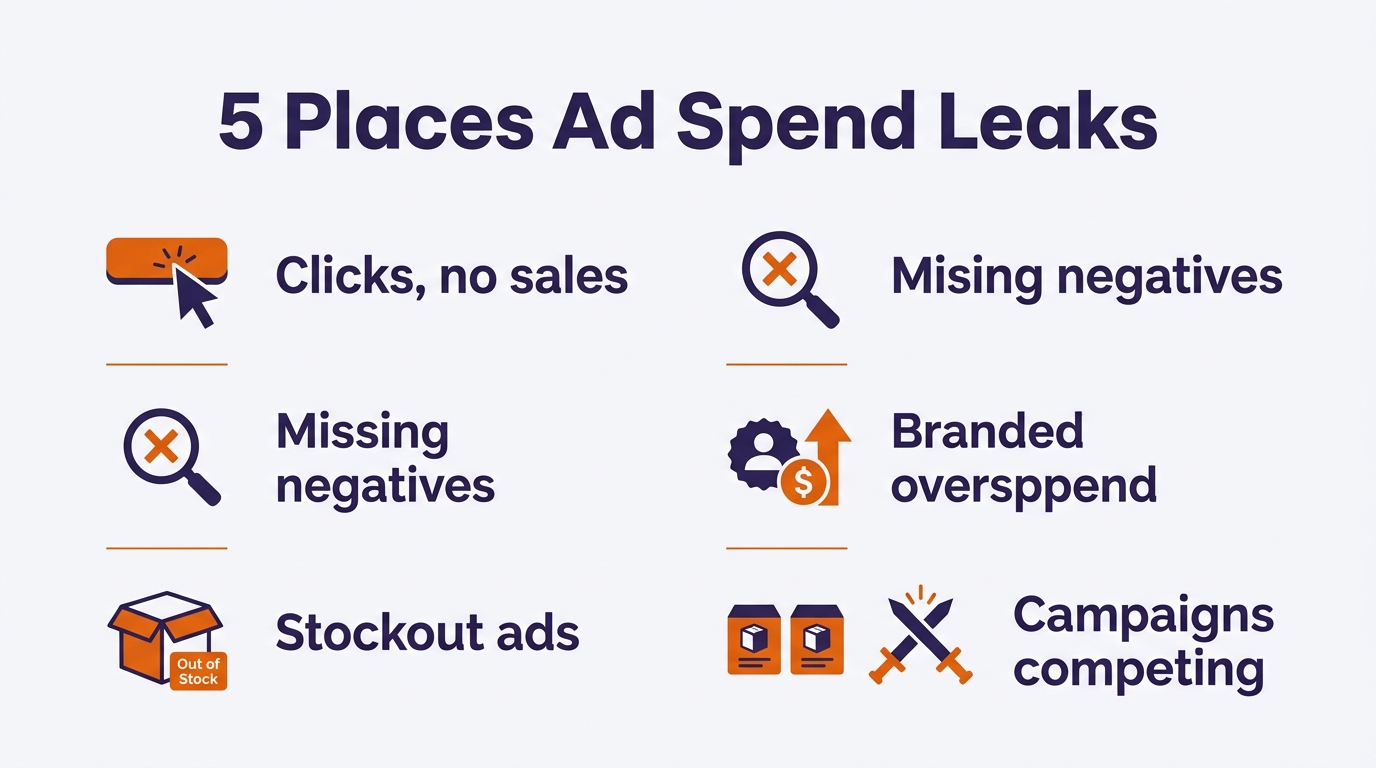
Wasted Amazon ad spend hides in five main places: search terms with clicks but no sales, missing negative keywords, ads running during stockouts, overspending on branded terms you already rank for, and campaigns competing with each other. The fastest way to find it is your search term report sorted by spend. Any term taking real budget without producing sales is a candidate to cut. A low ACoS does not mean there is no waste; it just means the waste is hidden.
Key Takeaways
The search term report, sorted by spend, is your main diagnostic.
Clicks without sales are the clearest form of waste.
Ads running during a stockout burn budget for nothing.
Low ACoS can still hide significant wasted spend.
Cut waste before raising budget; it is free efficiency.
Most sellers judge campaigns on ACoS, and a reasonable ACoS feels like proof things are fine. But ACoS is an average. A campaign can average 30% while one keyword quietly converts at 15% and three others take clicks and produce nothing. The winners mask the losers. So the money leaking out of the non-converting terms never shows up in the number you are watching. This is why a campaign can look acceptable and still waste a meaningful share of its budget every month. You have to look underneath the average.
The Five Places Wasted Spend Hides
Search terms with clicks but no sales. The biggest and most common leak. A term takes clicks, spends budget, and never converts. Some of these are just part of the buyer’s journey, but many are simply irrelevant traffic you are paying for repeatedly.
Missing negative keywords. When you do not negate the non-converting terms, especially in auto and broad campaigns, they keep taking budget week after week. Negatives are how you stop paying for the same irrelevant clicks twice.
Ads running during a stockout. If a product is out of stock or unavailable to purchase but the campaign is still live, you pay for clicks that cannot convert. This one is pure loss and easy to miss.
Overspending on branded keywords you already rank for. If you already hold the top organic spot for your own brand, heavy PPC on that exact term often pays for clicks you would have won for free. Some branded defense is fine; overspending on it is waste.
Campaigns competing with each other. When multiple campaigns target the same keywords, they bid against each other, raising your own costs. Overlapping structure quietly inflates CPCs across the account.
Where Wasted Amazon Ad Spend Hides
How to Find It: A Simple Audit
You do not need a tool to start. You need your search term report and a method:
Pull the search term report and sort by spend, highest first. This puts the biggest potential leaks at the top. You are looking for terms that have spent real money with zero or very few sales.
Flag the zero-sale, high-spend terms. These are your immediate candidates. For each, ask: is this term actually relevant to my product? If not, it is a negative keyword. If it is relevant but not converting, the problem may be your listing or bid, not the term.
Add negatives for the irrelevant ones. Negate clearly off-target terms so they stop draining budget. Work down from the highest-spend terms. Most of that waste is fixed with Amazon negative keywords built from your search term report.
Check inventory status on your advertised ASINs. Make sure you are not running ads on anything out of stock or suppressed. Pause ads where the product cannot be bought.
Check your branded terms. Look at whether you already rank organically for your brand name. If you dominate it organically, consider lowering bids on that exact term rather than paying for placement you would get anyway.
Look for keyword overlap across campaigns. If the same high-value keyword appears in several campaigns, consolidate or use negatives so your campaigns stop bidding against each other.
TIP: Cutting wasted spend is free efficiency. Before you raise a budget to grow, find and remove the waste first. Reducing non-converting spend means more revenue from the same dollars, and it often reveals that a campaign you thought needed more budget actually just needed cleaning. Make this a weekly habit, not a one-time project, because new search terms appear constantly. Our guide on Amazon negative keywords covers the negating side in detail.
How Much Data Before You Cut
Do not kill a keyword after one or two clicks. A term needs enough clicks to be a real signal rather than noise. A common rule of thumb is to wait until a search term has taken clicks roughly two to three times your product’s typical conversion rate before calling it a loser. On a cheap, high-converting product you can decide faster; on an expensive, considered purchase, give it longer. The goal is to act on a pattern of non-conversion, not a single unlucky click. Cutting too early risks negating a keyword that simply had not converted yet.
COMMON MISTAKE: Slashing bids or budgets across the board to “save money.” That cuts your winners along with your losers and drops your visibility. Waste reduction is surgical, remove specific non-converting terms and fix specific structural problems, not blunt. The goal is to spend the same or less while keeping every converting click.
The Bottom Line
Wasted Amazon ad spend is rarely a dramatic failure. It is a slow leak, spread across non-converting search terms, missing negatives, stockout clicks, branded overspend, and overlapping campaigns, hidden underneath an average ACoS that looks fine. Pull your search term report, sort by spend, and work down. A regular audit turns advertising from an unpredictable cost into a channel where every dollar is doing a job. Fix the leaks before you add budget.
The clearest signs are keywords with clicks but no sales, ad spend rising while profit stays flat, and a rising TACoS. Pull your search term report, sort by spend, and look for high-spend terms with zero or very few sales. Those are where the waste usually is, even when your overall ACoS looks acceptable.
Does a low ACoS mean I have no wasted spend?
No. ACoS is an average, so strong keywords can mask weak ones. A campaign can average a healthy ACoS while individual search terms take budget and never convert. You have to look at the search term level to see the waste that the average hides.
How often should I check for wasted spend?
Weekly for an active account, with high-spend or high-ACoS campaigns checked more often. New search terms appear constantly as Amazon tests your ads against fresh queries, so waste is not a one-time cleanup. A short weekly review of the search term report catches new leaks before they add up.
Should I cut a keyword the first time it does not convert?
No. Wait until a term has enough clicks to be a real signal, often around two to three times your product’s typical conversion rate in clicks, before negating it. Cutting too early risks blocking a keyword that simply had not converted yet. Act on a pattern, not a single click.
Written by the AMZ Scaler Team
Amazon advertising and listing specialists with 5+ years managing PPC and listing optimization for brands across the US, UK, and Canada. We publish what we apply in real seller accounts every day.