
Amazon Seller Assistant Workflows are now showing up in US Seller Central accounts. Announced at Amazon Accelerate on September 23, 2026, they let you describe a recurring task in plain English and have Seller Assistant build and run it for you, with your approval before anything sensitive happens. Here is what Seller Assistant Workflows do, which templates are available, and which ones are worth turning on first.
Quick Answer
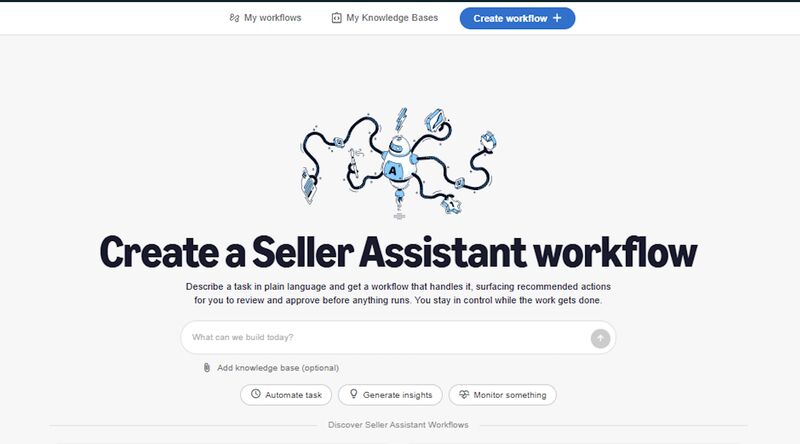
Seller Assistant Workflows are automations inside Seller Central that run on a schedule or on demand, even when you are not logged in. You describe the job in plain language, review the steps Amazon builds, and choose whether each workflow only recommends or also takes action. Sensitive actions wait for your approval, and every action is logged. Prebuilt templates cover account health, orders and returns, pricing, product expansion, and review requests.
What Changed
In its Accelerate announcement, Amazon described workflows as custom automations that run continuously, monitoring conditions and responding to changes. Sellers describe what they need in plain language, set guardrails, and the workflow goes to work. Amazon’s own example: “Alert me if any of my top 10 products drop below a 4-star rating and draft a response plan.”
The key details sellers are seeing as workflows roll out in the US store:
- Plain-language setup. You describe the task, Seller Assistant lays out the steps, and you review the plan before it runs.
- Recommend or act. You choose per workflow whether it only suggests or also takes action. Amazon says that when a workflow takes action, sellers review and approve it before it is carried out.
- Audit trail. Amazon says every action is logged.
- Prebuilt templates. Amazon named templates for account health, order summaries, pricing trends, and product expansion. Sellers in the US store are also seeing a review and feedback request template.
- A knowledge base. Sellers can add their own documents, such as return policies, shipping preferences, and SKU guidelines, so workflows follow their rules instead of generic answers.
- Cost. Workflows are part of Seller Assistant, which Amazon offers at no extra cost.
The 5 Templates and What Each One Is For
| Template | What it does | Who should use it |
|---|---|---|
| Account Health Monitor | Ranks account health issues by severity and flags which ones can be appealed | Every seller, first |
| Orders and Returns Digest | Summarizes recent orders and returns, flags late-risk FBM orders and products with repeated returns | FBM sellers, anyone with return issues |
| Pricing Analyzer | Shows where you are missing the Featured Offer, the price gap, and fees at each price | Resellers, competitive categories |
| Product Expansion Finder | Surfaces related products from your catalog with competition and fee context | Brands planning new SKUs |
| Review and Feedback Requestor | Requests reviews and seller feedback on eligible orders automatically | Sellers who request reviews manually today |
These templates come from what sellers are seeing in their accounts, and Amazon may rename or add templates as the rollout continues.
What It Means for Sellers
For small teams, this replaces a set of checks that usually live in someone’s head or a forgotten browser tab. The account health and orders digests alone save a daily login routine. It connects directly to the Seller Assistant plugin for Claude and Amazon Quick announced the same day, which lets you query the same data from outside Seller Central.
What it does not cover matters just as much. Workflows run on Seller Central data, so advertising is outside their scope. Your PPC still needs its own review cycle, and our Amazon PPC audit checklist is the place to start there.
What to Do About It
- Write the knowledge base first. Upload your return policy, shipping rules, and product FAQs before turning on any template. Every workflow is only as good as the rules it follows.
- Turn on Account Health Monitor next. It is read-only and low risk, and it catches the issues that block growth. Our post on account health and scaling ads explains why this comes first.
- Start every workflow in recommend-only mode. Watch its suggestions for two weeks before allowing it to act, especially for anything touching buyers or pricing.
- Keep pricing decisions human. Use the Pricing Analyzer for the data, then decide yourself with margin in mind.
- Review the audit log weekly. Check what ran, what it changed, and what it asked you to approve.
Related Reading
Frequently Asked Questions
Are Seller Assistant Workflows free?
Yes. Workflows are part of Seller Assistant in Seller Central, which Amazon offers at no extra cost.
Can Seller Assistant Workflows take actions without my approval?
You choose per workflow whether it recommends only or also acts. Amazon says actions are reviewed and approved before they are carried out, and every action is logged.
Are Seller Assistant Workflows available outside the US?
They are rolling out in the US store first. Amazon has not given dates for other marketplaces.
ient results page.Source: About Amazon, Seller Assistant plugin and workflows announcement (September 23, 2026).
Written by the AMZ Scaler Team
Amazon advertising and listing specialists with 5+ years managing PPC and listing optimization for brands across the US, UK, and Canada. We publish what we apply in real seller accounts every day.