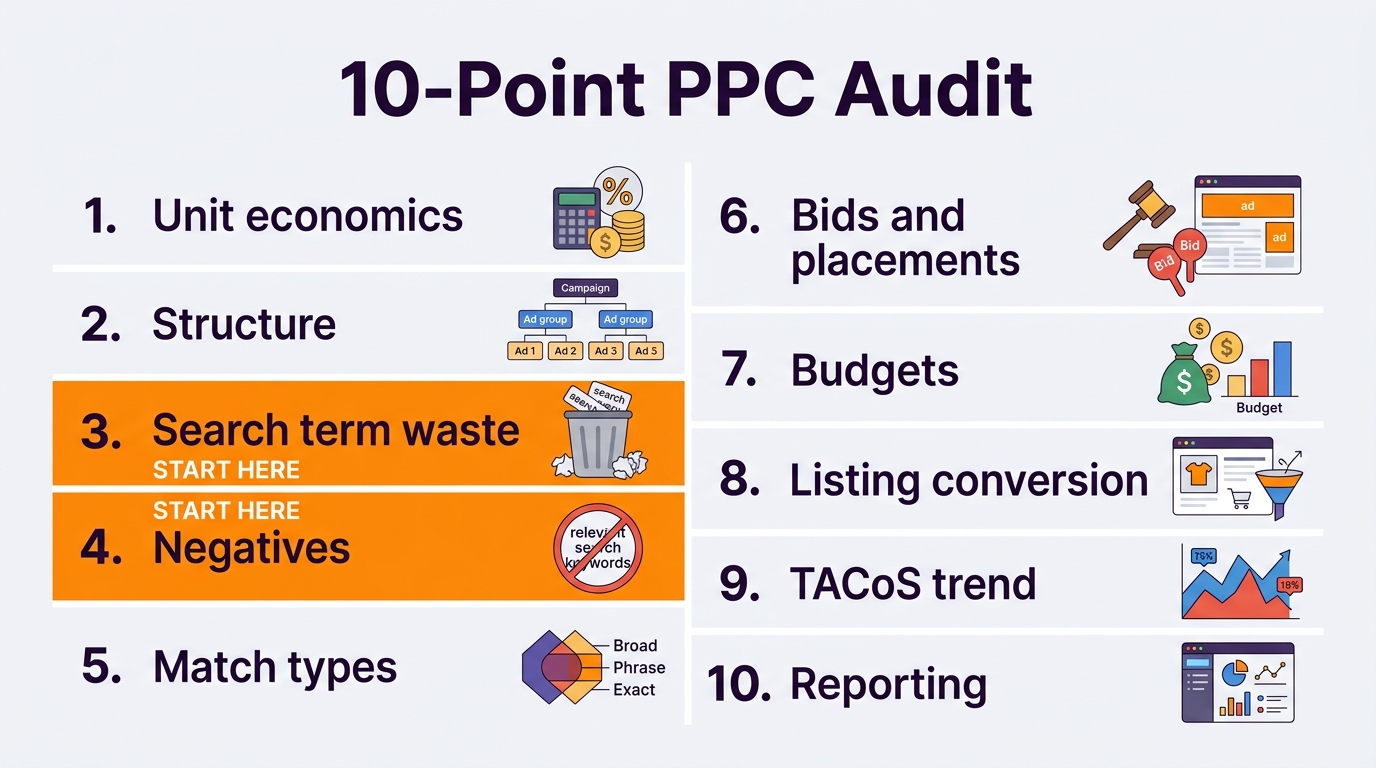
Most Amazon ad accounts are not broken. They are leaking. A few non-converting keywords here, a missing negative there, a budget that runs out by noon, and a bid strategy nobody has checked in months. None of it looks dramatic on its own, which is exactly why it goes unfixed. This Amazon PPC audit checklist walks through the 10 areas we check in every account, in the order that finds the most money fastest.
Quick Answer
An Amazon PPC audit checks whether your ad spend is going to clicks that pay. Work through ten areas in order: unit economics, account structure, search term waste, negatives, match types, bid strategy and placements, budgets, listing conversion, TACoS trend, and reporting habits. Start with search term waste and negatives, because that is where most accounts recover money within weeks. Results depend on competition, pricing, reviews, and inventory, but almost every account has waste to find.
Key Takeaways
Audit in order of money recovered: waste first, structure second.
Know your break-even ACoS before judging any campaign.
The search term report, sorted by spend, is your main tool.
A healthy ACoS can still hide waste underneath the average.
Check the listing, not just the ads, when conversion is low.
An audit without targets is just opinions. Before you open a single campaign, write down three numbers for your main products: your margin before ads (your break-even ACoS), your target ACoS, and your current TACoS. If a product sells for $30 and keeps $12 after COGS and Amazon fees, the break-even ACoS is 40%. Any campaign above that line is losing money unless you are deliberately investing in a launch. Our guide on what a good ACoS is covers the math.
The 10-Point Amazon PPC Audit Checklist
#
Area
What to check
Red flag
1
Unit economics
Break-even and target ACoS per product
No target, or one target for every product
2
Structure
Campaigns grouped by product and purpose
One giant campaign with everything in it
3
Search term waste
High-spend terms with zero or few sales
Terms with real spend and no orders for weeks
4
Negatives
Irrelevant and harvested terms negated
Auto campaigns with no negatives at all
5
Match types
Exact for winners, broad and auto for discovery
Proven winners still only in broad or auto
6
Bids and placements
Bid strategy and placement adjustments
Up and down bidding plus high placement boosts on unproven terms
7
Budgets
Campaigns staying live all day
Best campaigns out of budget by midday
8
Listing conversion
Conversion rate on advertised ASINs
Clicks rising, orders flat
9
TACoS trend
Total ad spend over total sales, monthly
TACoS rising while organic sales stay flat
10
Reporting habits
Regular review cadence
Nobody has opened the search term report in a month
Areas 3 and 4 find the most money. Pull the search term report for the last 60 days, sort by spend, and look at every term that has taken meaningful spend without converting. Negate the irrelevant ones and investigate the relevant ones. This alone often recovers a noticeable share of spend. See where wasted ad spend hides and our negative keywords guide for the full method.
Area 6 is where costs quietly compound. A placement adjustment and a dynamic bidding strategy stack on top of each other, so a modest base bid can turn into a much higher actual bid. Our guide to bid strategies and placement adjustments shows how the math works.
Area 8 is the one ads-only audits skip. If a keyword gets clicks but no orders, the problem is often the page, not the bid. See why Amazon ads don’t convert.
Audit in this order. Search term waste and negatives usually recover the most money first.
TIP: Download your search term and placement reports every month and keep them. Amazon keeps some report data for a limited window, and a history of your own numbers is what lets you spot a creeping CPC or a slow conversion drop before it becomes a crisis.
What Changed in 2026
More placements to check. Sponsored Products can now also serve inside creator content off Amazon, and top of search and product page adjustments do not apply there. See our creator content placement post.
AI placements. Ads now appear inside Amazon’s AI shopping assistant, where listing content affects whether you show.
Scrutiny on ad pricing. The FTC’s 2026 lawsuit over ad pricing is a reminder to set bids from your own margins, not suggested bids.
When Not to Run a Full Audit
If a product launched in the last two to four weeks, a full audit is premature. There is not enough data to judge keywords, and cutting terms too early kills discovery. Check budgets, stock, and obvious irrelevant terms, then wait. The same applies right after a big listing change: give it a couple of weeks before judging the ads.
COMMON MISTAKE: Cutting bids across the whole account to lower ACoS. That removes your winners along with your losers and drops your visibility. A good audit is surgical: remove specific waste, fix specific structure problems, and keep every converting click.
If you want a second set of eyes, a PPC audit is exactly where our Amazon PPC management work starts. You can see the kind of fixes an audit leads to on our client results page.
It is a structured review of your ad account to find where spend is not paying back. It covers unit economics, campaign structure, search term waste, negatives, match types, bids and placements, budgets, listing conversion, TACoS, and reporting habits.
How often should I audit my Amazon PPC?
A light review of search terms and budgets weekly, and a full audit every quarter or after major changes such as a price change, a new listing, or a big event like Prime Day.
What is the first thing to check in a PPC audit?
The search term report sorted by spend. High-spend terms with no orders are usually the fastest money to recover, followed by missing negative keywords.
Can I audit my own Amazon PPC account?
Yes. The checklist above works for any account. The hard part is time and objectivity, which is why many sellers get an outside audit once a year even if they manage ads themselves.
Does a low ACoS mean my PPC is healthy?
Not always. ACoS is an average, so strong keywords can hide weak ones. A very low ACoS can also mean you are under-spending and missing growth. Look at search terms and TACoS, not ACoS alone.
Written by the AMZ Scaler Team
Amazon advertising and listing specialists with 5+ years managing PPC and listing optimization for brands across the US, UK, and Canada. We publish what we apply in real seller accounts every day.