Amazon Business is adding a new Business Discount badge, and it changes who qualifies for always-on B2B visibility. If your single-unit business price is at least 5% below a validated reference price, your offer earns the red Business Discount badge automatically, with no 4-star rating required. Here is how the Amazon Business Discount badge works, how it differs from the Business Savings Blue Badge, and how to set a business price that qualifies.
Quick Answer
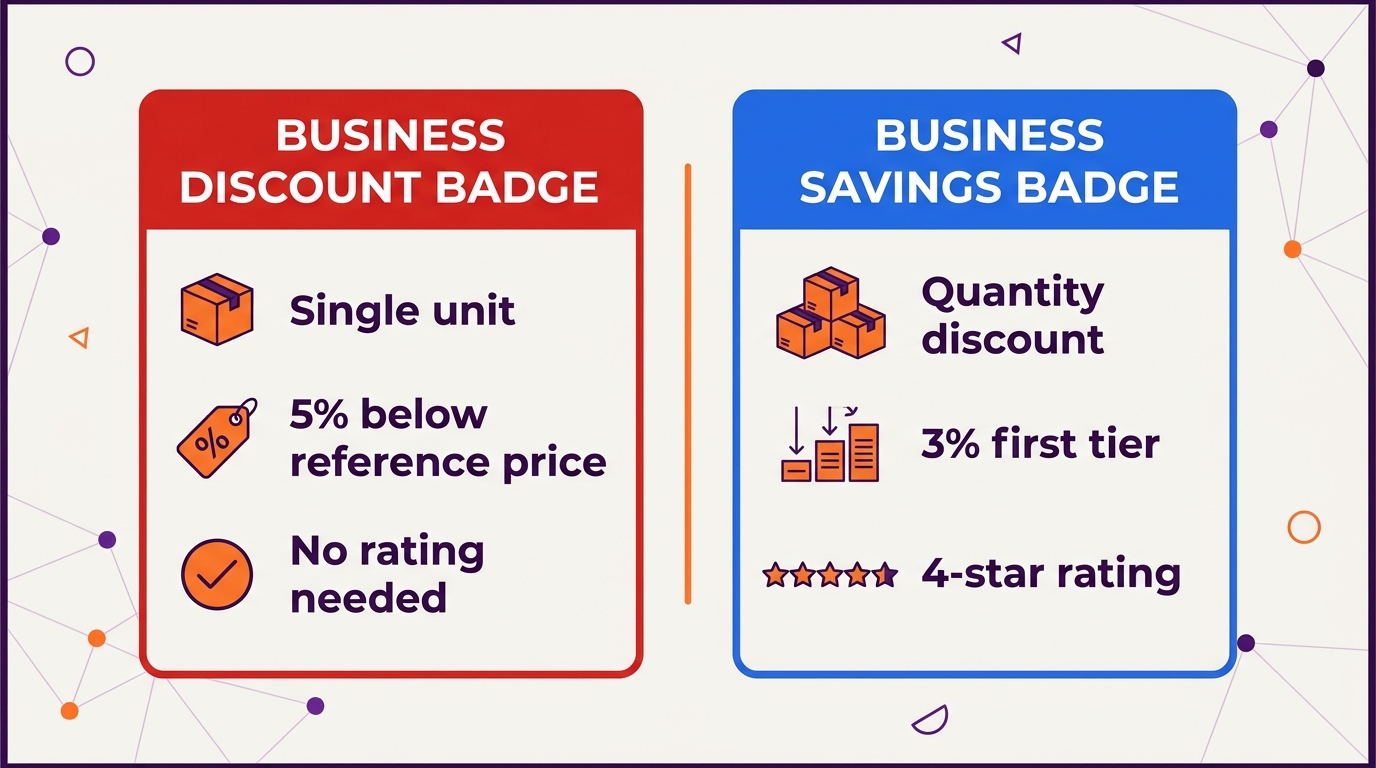
Amazon’s new Business Discount badge appears on Amazon Business offers whose single-unit business price is at least 5% below the product’s validated reference price (VRP). It shows the savings percentage on search and detail pages and does not require a 4-star rating. Offers 2% or more below the VRP get strikethrough pricing in search results without the badge. Quantity discounts keep the old rule: at least 3% off the first tier plus a 4-star rating earns the Business Savings Blue Badge (Amazon announcement, reposted on Sellers Ask Sellers).
What Changed
In an October 16, 2026 announcement, Amazon said the new badge would arrive on Amazon Business within two weeks. The rules:
| Offer type | Requirement | What shoppers see |
|---|---|---|
| Single-unit business price | At least 5% below the validated reference price | New red Business Discount badge with the savings % |
| Single-unit business price | At least 2% below the validated reference price | Strikethrough pricing in search results, no badge |
| Quantity discount | At least 3% off the first tier + 4-star rating | Business Savings Blue Badge (unchanged) |
Two details matter more than the percentages:
- The 4-star requirement is gone for the new badge. Under the old Business Savings Blue Badge, a single-unit discount still needed a 4-star rating. Now the rating no longer decides whether a single-unit offer qualifies.
- The comparison point changed. The old badge compared your business price with your standard price. The new one compares it with a validated reference price. If your product has no VRP, the badge cannot display, however good the discount.
Amazon also says that, based on its internal data, B2B sales of products with business pricing grew nearly twice as fast year over year in 2025 to 2026 as those without it.
What It Means for Sellers
For products with fewer than four stars, this is the first time a single-unit business discount can earn a badge. That opens B2B visibility to newer products and to categories where ratings run lower. The trade-off is that you now depend on Amazon’s reference price, the same concept behind the deal rules in our coupons vs Prime Exclusive Discounts guide.
It also gives you a permanent discount channel that only business buyers see. You can offer a 5% business price without lowering the price retail shoppers pay. Before you do, check the margin. A 5% business discount on a product with thin margins comes straight out of profit, and our unit economics guide shows how to check that per SKU.
How to Set a Business Price That Qualifies
Amazon’s business pricing guide lays out the steps:
- One product: go to Manage All Inventory (in the new Seller Central layout it sits under Supply chain). Select Set next to Business price, enter the price, and save. If you do not see the column, add Business price under Preferences.
- Quantity discounts: select the business price, choose % off or Fixed Price, and add up to five tiers. Each tier must have a lower unit price than the one before it.
- In bulk: use the Business Price/Quantity flat file, save it as tab-delimited text, and upload it through Add Products by spreadsheet.
- Find your best candidates: the free Business Discount Insights tool under B2B in Seller Central ranks products by their potential with business buyers.
- Check the timing: prices appear in Seller Central immediately but can take up to 15 minutes to show to Amazon Business customers.
Related Reading
Frequently Asked Questions
What is the Amazon Business Discount badge?
A red badge on Amazon Business that shows the savings percentage on offers whose single-unit business price is at least 5% below the product’s validated reference price. It does not require a 4-star rating.
What is the difference between the Business Discount badge and the Business Savings Blue Badge?
The Business Discount badge covers single-unit business prices at least 5% below the validated reference price, with no rating requirement. The Business Savings Blue Badge still covers quantity discounts of at least 3% on the first tier and requires a 4-star rating.
Why is my Business Discount badge not showing?
The most common reason is that the product has no validated reference price. Without one, the badge cannot display. Also check that your single-unit business price is at least 5% below that reference price and allow time for prices to update.
See our brand scaling and growth service and our client results.
Sources: Amazon announcement, Earn new Business Discount badge (reposted on Sellers Ask Sellers); Sell on Amazon, how to set B2B prices and quantity discounts; Sell on Amazon, Business Discount Insights.
Written by the AMZ Scaler Team
Amazon advertising and listing specialists with 5+ years managing PPC and listing optimization for brands across the US, UK, and Canada. We publish what we apply in real seller accounts every day.